
Sage Intacct

A man looking at a gap that symbolizes a budget gap between actual and committed.
ERP & Accounting Software, Sage Intacct

Your Budget Isn’t What You Think It Is…Unless You’re Tracking Commitments

You approved the budget. The numbers looked right. And then, somewhere between the purchase order and the invoice, you ran out of money. If that scenario sounds familiar, the problem probably isn’t your budget. It’s what your budget doesn’t know about yet. Most financial reports show you two things: what you budgeted and what you’ve spent. That seems like enough until you factor in everything that’s been ordered but not yet invoiced. Purchase orders that have been issued. Contracts that are active. Goods that are in transit.
None of those show up as expenses until an invoice is posted. But the money is already spoken for.
That gap between what you’ve spent and what you’re committed to spending is where budget surprises live. And for organizations managing tight margins, grant restrictions, or project-level budgets, that gap can be the difference between finishing a period in control and finishing it over budget.

A doctor using Sage Intacct
ERP & Accounting Software, Sage Intacct, Technology Solutions

The 15-Minute Sage Intacct Check-Up Every Admin Should Be Doing

Most Sage Intacct systems are set up once and then left alone. That works fine until it doesn’t. User permissions drift, outdated configurations quietly create problems, and small oversights compound over time into something that takes hours to untangle.
The good news is that a quick, routine check-up can catch most of these issues before they become real problems. This isn’t a deep audit or a full system review. It’s a focused 15-minute habit that any admin can build into their regular routine.

Understanding the Sage Intacct Configuration Change Log
ERP & Accounting Software, Sage Intacct

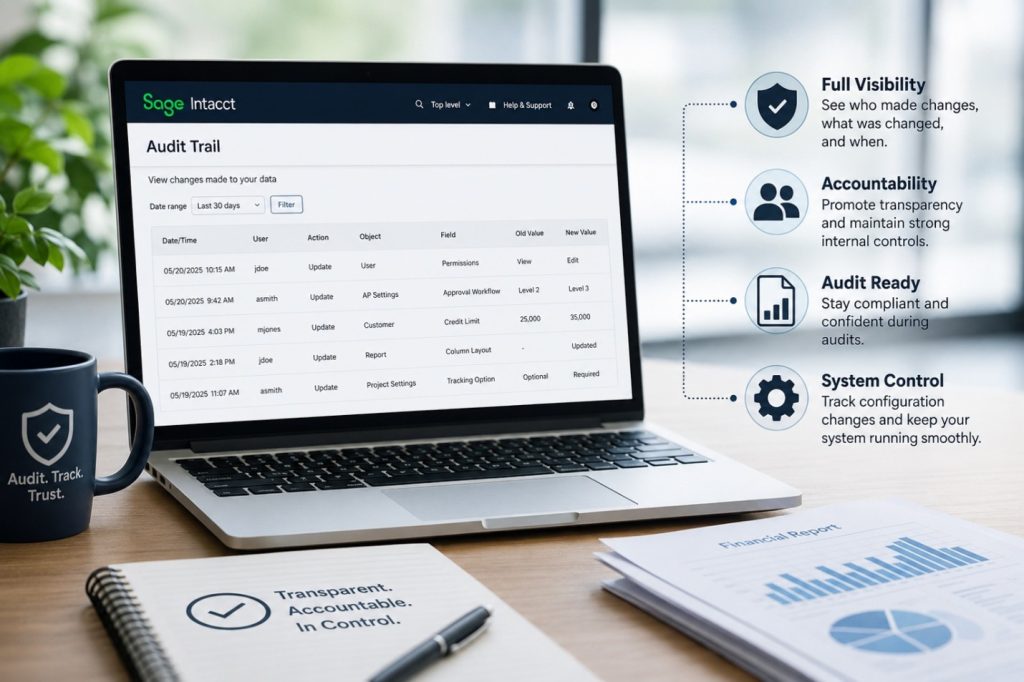
Understanding the Sage Intacct Configuration Change Log

If you’ve ever had a system setting change unexpectedly — maybe a user permission, a report layout, or a configuration tweak—you know how frustrating it can be to track down who made the update and why. Luckily, Sage Intacct has built in tools that make that detective work much easier. One of the most powerful of these is what many users refer to as the Configuration Change Log, which is essentially part of Intacct’s robust Audit Trail features.
In this blog we’ll walk through what this functionality is, why it matters, and how it helps finance teams stay in control of their system.

Is Your ERP Holding You Back
ERP & Accounting Software, Sage Intacct

Is Your ERP Holding You Back?

Your ERP system is the backbone of your business. It touches payroll, inventory, finance, procurement, and more. But like any technology, ERP platforms age — and what once powered your growth can quietly become the thing that stalls it.
The decision to replace an ERP isn’t one to take lightly. Implementations are costly, disruptive, and time-consuming. But staying with the wrong system carries its own steep price: inefficiency, lost opportunity, and competitive disadvantage.
So how do you know when it’s time? Here are the clearest signals.

Scroll to Top